
Umbraco AI and what it could mean for you
Advances in AI have changed how some of us work. One clear trend is that many software vendors are racing to add AI to their products. In some cases, this has proven to work well and in others, it feels forced, delivers limited value and leads to confusion.
Umbraco has taken a different approach. Rather than prescribing how partners and customers should use AI in Umbraco solutions, it provides the core components that allow developers, product owners, and users to decide how AI should be applied.
Umbraco’s agnostic approach to AI integration means you have freedom to choose which model provider to use and how you control it. Umbraco AI is built around several core concepts, which we have outlined below:
Note: Umbraco’s AI implementation is extensible, but the field-level prompt example and agent video later in this post were created without custom code, aside from installing a few Umbraco NuGet packages.
Connections
Native integration with multiple AI providers, effectively bring your own key. Here are some unsurprising providers: Anthropic, OpenAI, Microsoft Foundry, Google, Amazon, the complete list can be found here: https://github.com/umbraco/Umbraco.AI#providers
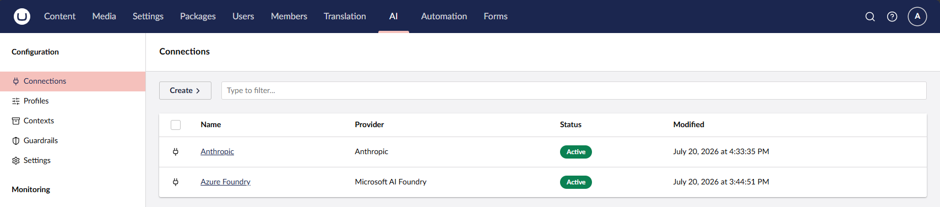
Contexts
Reusable instructions and context that are consumed by agents or field-level prompts. These might define a brand voice or instructions to steer an agent’s behaviour.
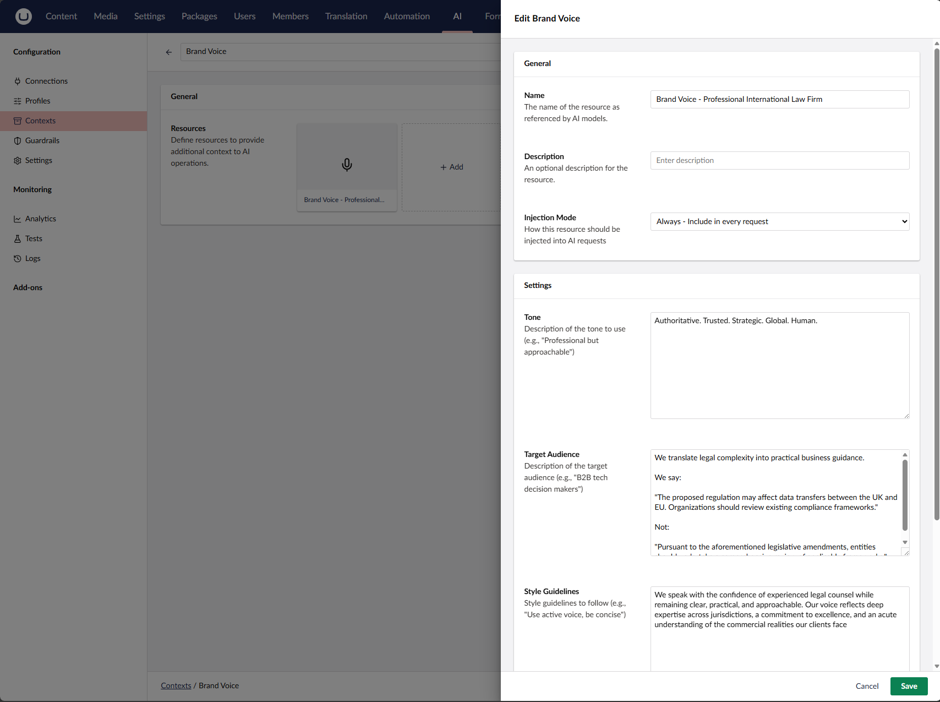
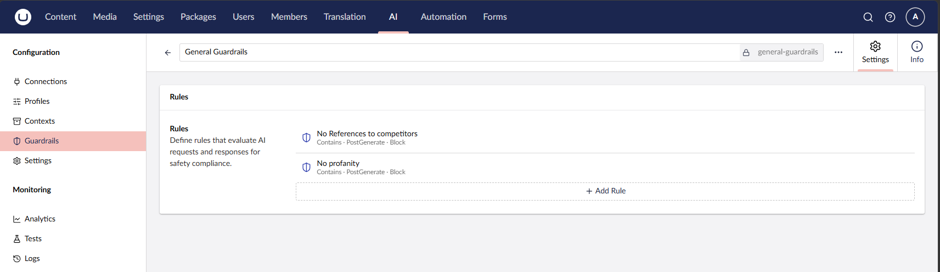
Guardrails
Safety, compliance, and quality controls, such as blocking profanity or preventing responses from referencing competitors. These are simple examples, but Umbraco also has LLM Safety Judges, which pass an agent’s response to another agent configured with a different profile to apply a more rigorous inspection of responses.
Guardrails can block responses, flag them in AI-specific logs, or redact.
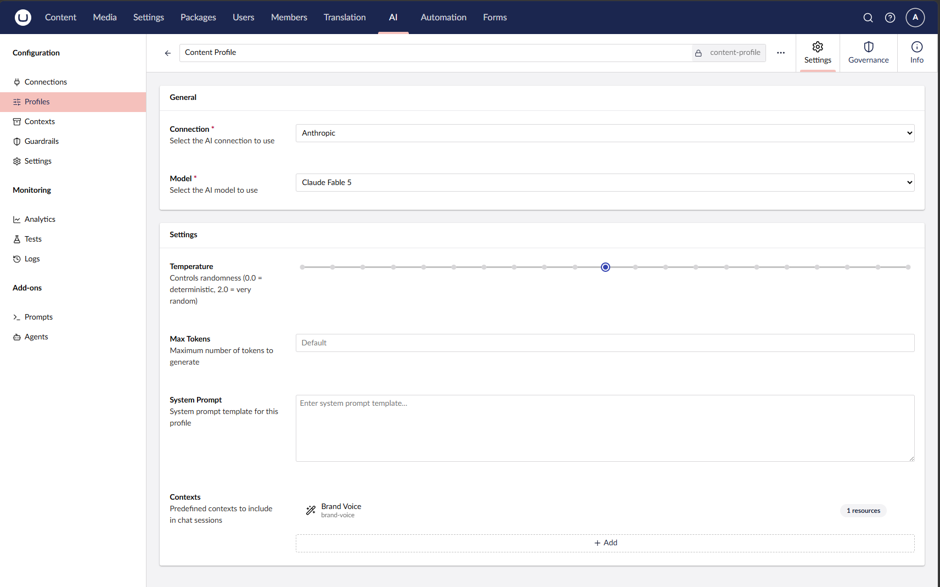
Profiles
Profiles bring the earlier concepts together by combining the chosen model with your contexts and guardrails, making them available to agents or property-level prompts.
While agents and prompts can each define their own contexts, profiles provide a central place to manage them. This reduces configuration sprawl and makes it easier to understand why an agent behaves in a particular way.
To bring these concepts together and answer what they could mean for you, we’ll now look at field-level prompts and agents.
Field level prompts
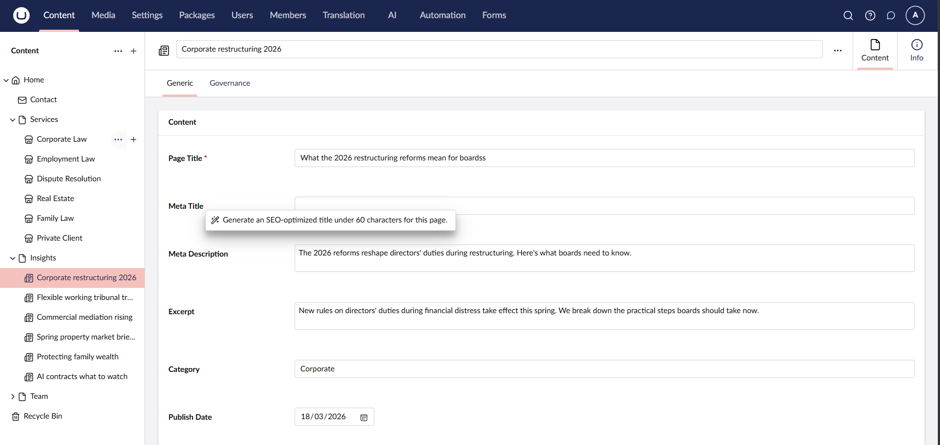
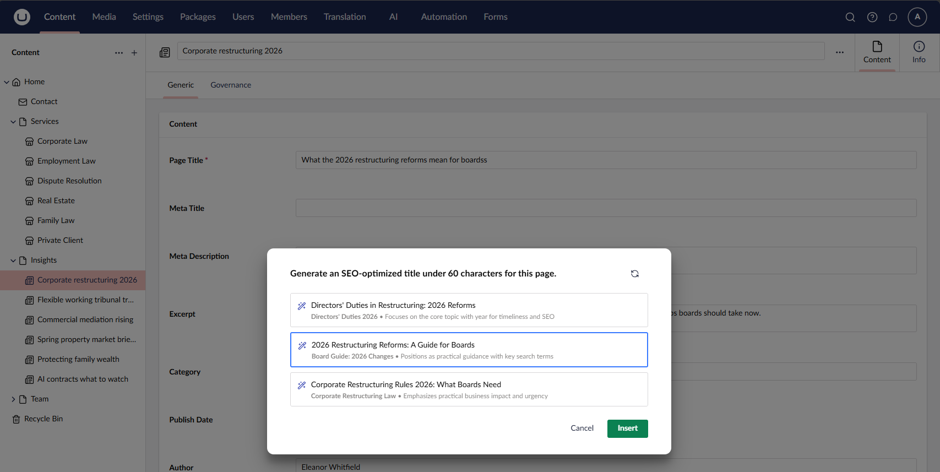
Reusable prompts that run at the property level. For example, “Generate an SEO-optimised title under 60 characters for this page.” Users can apply the prompt to the relevant property, review the generated options, and insert their preferred result directly into the field instead of copying and pasting it.
Other uses could include:
- Suggest the primary SEO keywords for this content.
- Create a social media title optimised for LinkedIn and Facebook.
- Write a search result snippet that encourages click-throughs.
- Rewrite this content in plain English while preserving meaning.
- Ensure this content follows our approved brand voice.
- Review this content and identify accessibility concerns.
- Suggest relevant content tags separated by commas.
Agents & Copilot
Agents in Umbraco are configured directly in the back office. They use profiles, which provides the chosen model, context, any guardrails, and can also include default agent instructions and permissions such as read, write, and save.
I created an agent called “General Content Author”, which used the brand voice and guardrails defined earlier. I also gave it permission to read content, write content, and save changes.
Copilot is a native, context-aware flyout panel where users can choose an agent and ask it to complete a task. In this example, I created an insight page titled “Protecting family wealth across generations” and asked the agent to write the page content. The agent generated the content, used Umbraco’s default tools to understand the content schema, and populated the relevant fields automatically, leaving me to review and approve the results.
In this short two-minute video, I manually create a new insight page, add a title, and ask the agent to write the content. It does this well, using the available block list components. At first, I thought the main value was content generation. On reflection, I believe the bigger opportunity will be uploading a document with raw content and letting AI shape layout it within the CMS using the available blocks.
Other uses could include:
- Replace the following telephone number with this one.
- Create a new hot topic landing page for AI Technologies and surface related content.
- Translate this news article to French.
- Make sure that all images have meaningful alt text.
- Tag this article with the relevant taxonomy tags, suggest a new tag if applicable.
Looking further ahead, integrating Google Analytics could enable agents that help users identify poor-performing or stale content, analyse it, and suggest improvements.
With Umbraco Automate (another new Umbraco feature), these agents could also run on a schedule. For example, a weekly content audit could review analytics data, highlight recommended changes, and report them for review. Alternatively, agents could apply content updates automatically and submit them through the Umbraco workflow for approval.
Related Blog posts


Unlimited possibilities
3chillies
Get in touch today